Creating Professional-sounding Beats using Digital Audio Workstations
Are you ready to take your music production skills to the next level? In this blog, we will explore how to create professional-sounding beats using digital audio workstations (DAWs).
If you’re new to the world of DAWs, don’t worry, we’ll explain everything you need to know. In this guide, you’ll learn about:
- Choosing the right DAW
- Understanding and using drum samples
- Constructing grooves and rhythms
- Adding effects to enhance your beats
Choosing the Right DAW 🎧
Choosing the right DAW is a crucial first step for anyone looking to create professional-sounding beats. There are plenty of options to choose from, but some of the most popular DAWs are Ableton Live, FL Studio, Logic Pro, and Pro Tools.
Ableton Live is a versatile DAW that is perfect for live performance and music production. FL Studio has a user-friendly interface and is excellent for beginners. Logic Pro is an Apple-exclusive DAW that is ideal for audio recording and mixing, while Pro Tools is a professional-grade DAW used by engineers and producers in the music industry.
Before selecting a DAW, consider what you want to achieve with your music production. Choose a DAW that suits your goals, workflow, and budget.
Understanding and Using Drum Samples 🥁
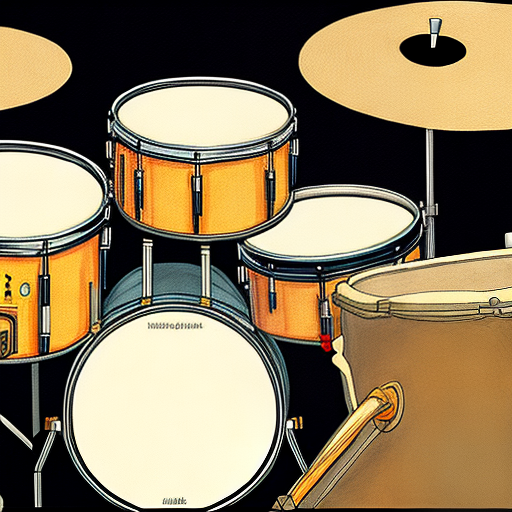
Drum samples are an essential component of beat production, and understanding how to use them is crucial. Drum samples are pre-recorded sounds of individual drum hits, which can be layered, edited, and manipulated in your DAW.
To get started, you can either record your own drum samples, download them from sample libraries, or use the built-in drum kits in your DAW.
Once you have your drum samples, drag them onto your DAW’s timeline to create a basic beat. Then, adjust the volume, pan, and EQ of each sample to create a more cohesive sound.
Remember, choosing the right drum samples is essential to create a professional-sounding beat. Experiment with different samples to find the perfect sounds for your track.
Constructing Grooves and Rhythms 🎼
Creating a groove or rhythm is all about arranging the drum samples in a way that creates a unique and interesting sound. There are many ways to construct grooves and rhythms in your DAW, so explore different techniques until you find what works for you.
One approach is to use a step sequencer, which allows you to program individual drum hits into a pattern. Another is to use a MIDI controller to play drum samples in real-time.
Remember that a groove is more than just a regular pattern of drum hits. It’s about the nuances and variations in the rhythm. Try experimenting with swing, ghost notes, and other techniques to give your grooves some personality and flair.

Adding Effects to Enhance Your Beats 🔊
Adding effects to your beats can give them the final touch they need to sound professional. Effects are digital plugins that can manipulate the sound of individual drum samples, or the entire beat.
Reverb, delay, distortion, and EQ are just some of the effects you can use to enhance your beats. Experiment with different effects and settings until you find the perfect sound for your track.
Remember to use effects sparingly. Too much can easily ruin the sound of your beat.
Now that you know the basics of creating professional-sounding beats using digital audio workstations, it’s time to start practicing. Remember to choose the right DAW, use the right drum samples, construct grooves and rhythms, and add effects to enhance your beats. Keep striving to improve your skills, and one day you could be making beats that rival even the best in the business.
